Contents PA
AI that turns property photos into the claim's contents inventory.
In property claims, the "contents list" is the item-by-item inventory of affected belongings — name, reference price, link, and quantity — submitted to the insurance carrier. It's a required deliverable and brutally labor-intensive: at Legacy Adjusting, we either did it by hand or outsourced it to a vendor.
Doing it manually meant combing through hundreds of photos and looking up each product online: ~20 hours per project. Outsourcing it cost $1,500–2,000. I felt this firsthand, and it bothered me to pay that much for work that was, at its core, recognizing objects in photos and looking them up on Google.
Contents PA's users aren't my team — they're homeowners uploading their own photos: external, non-technical, and often going through a stressful moment. Folding them into the internal CRM wasn't viable; they needed their own minimal, foolproof experience.
The homeowner (or a team member) uploads photos organized by room. The AI scans all the photos, identifies the items in each one, and looks them up on Google Shopping, leaving them ready with name, price, link, and quantity. Once a room is processed, a review interface opens photo by photo: each image with its matching items, approved or edited one at a time instead of an overwhelming single list. Only approved items make it into the claim's final spreadsheet.
AI proposes, never publishes
No item reaches the final document without human approval — in a deliverable submitted to an insurance carrier, a misidentified product has real consequences.
Review designed against fatigue
Human oversight was the bottleneck, so the approval interface was built photo-by-photo instead of as a list, so reviewing hundreds of items wouldn't kill adoption.
Zero friction for the external user
For the homeowner, the entire experience is uploading photos by room. All the complexity lives on the team's side.
Google Shopping as the pricing source
Every item ships with a real market price and a verifiable link, giving the list instant credibility with the carrier.
From idea to first real use: 1 week, built solo.
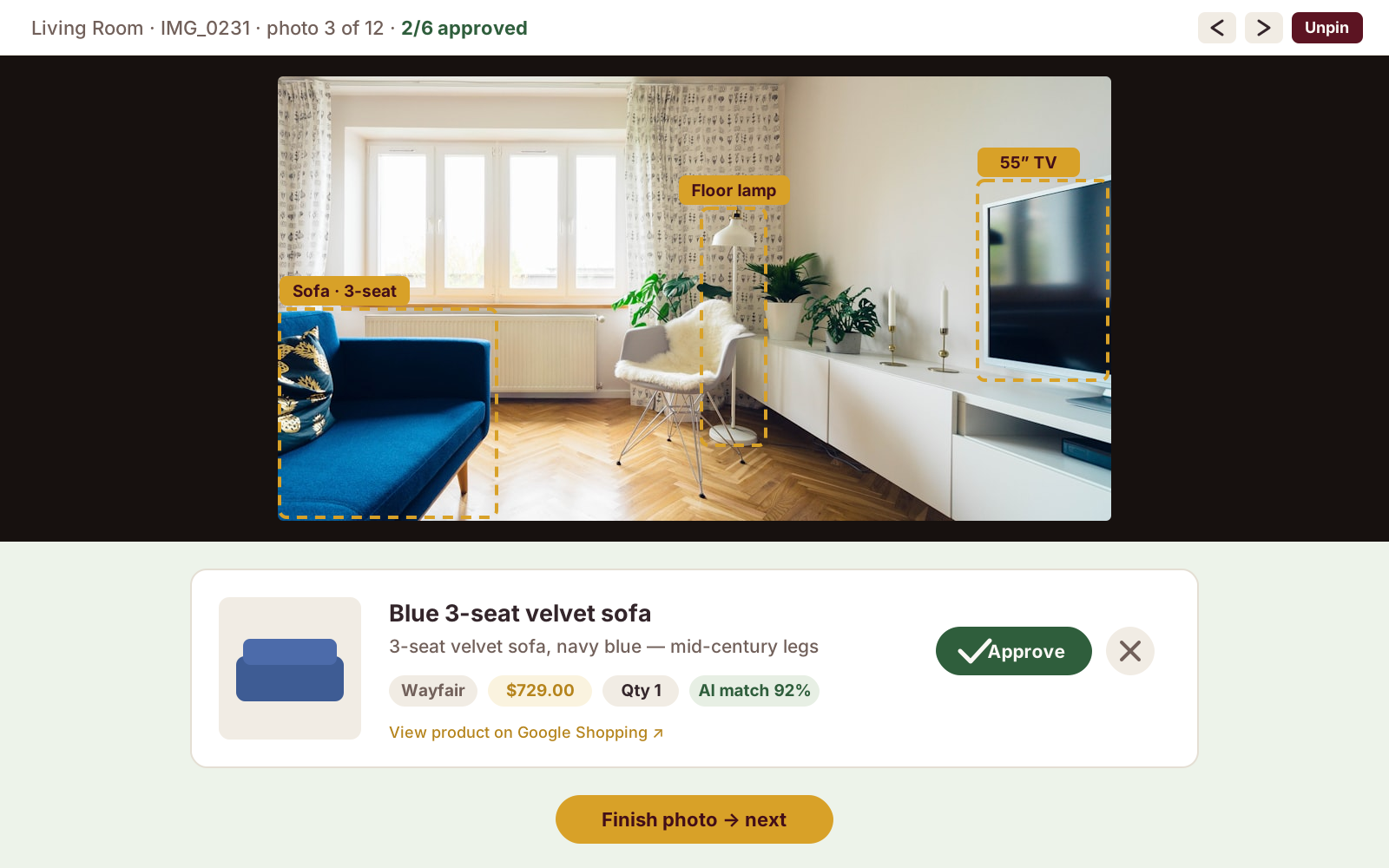
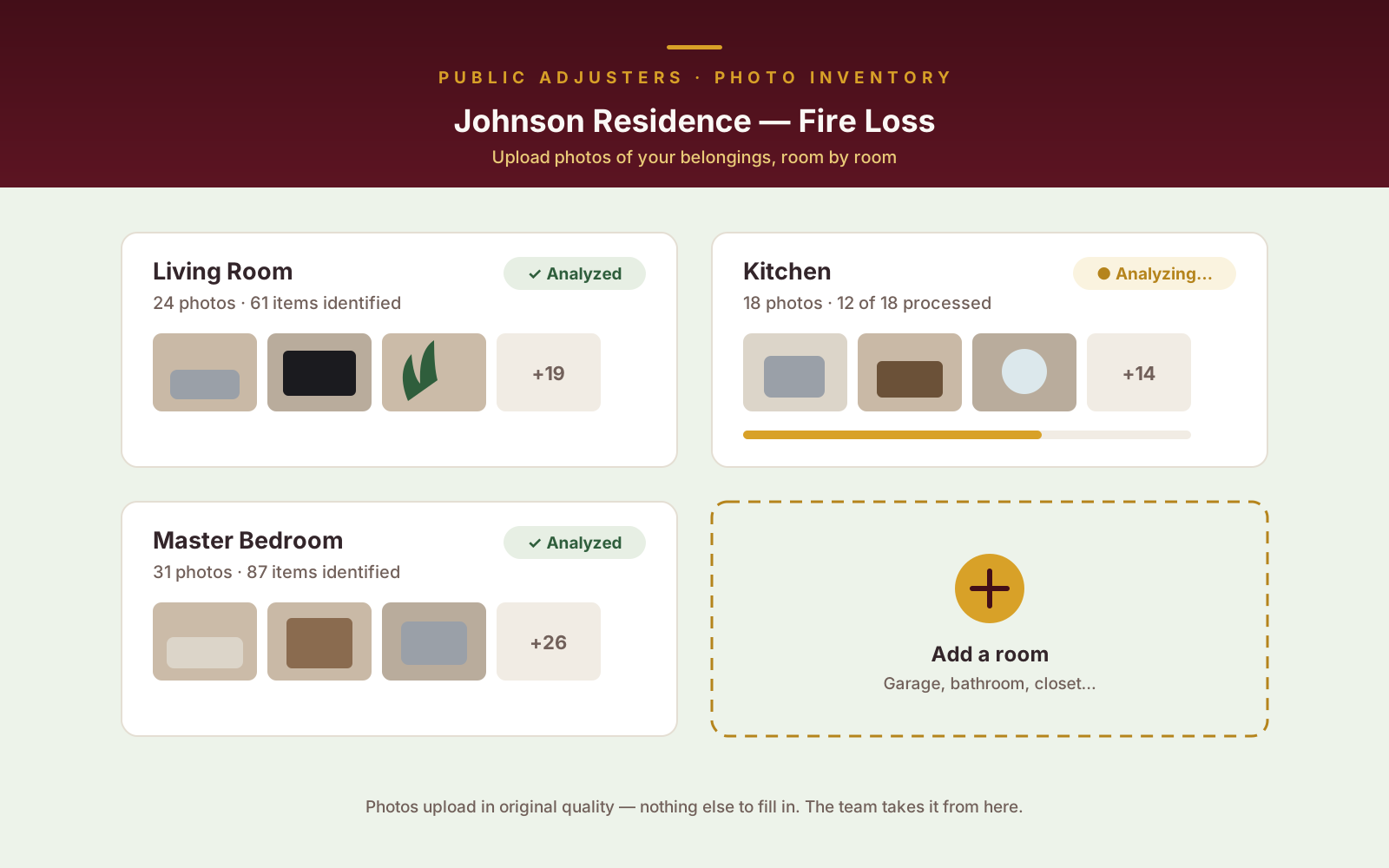
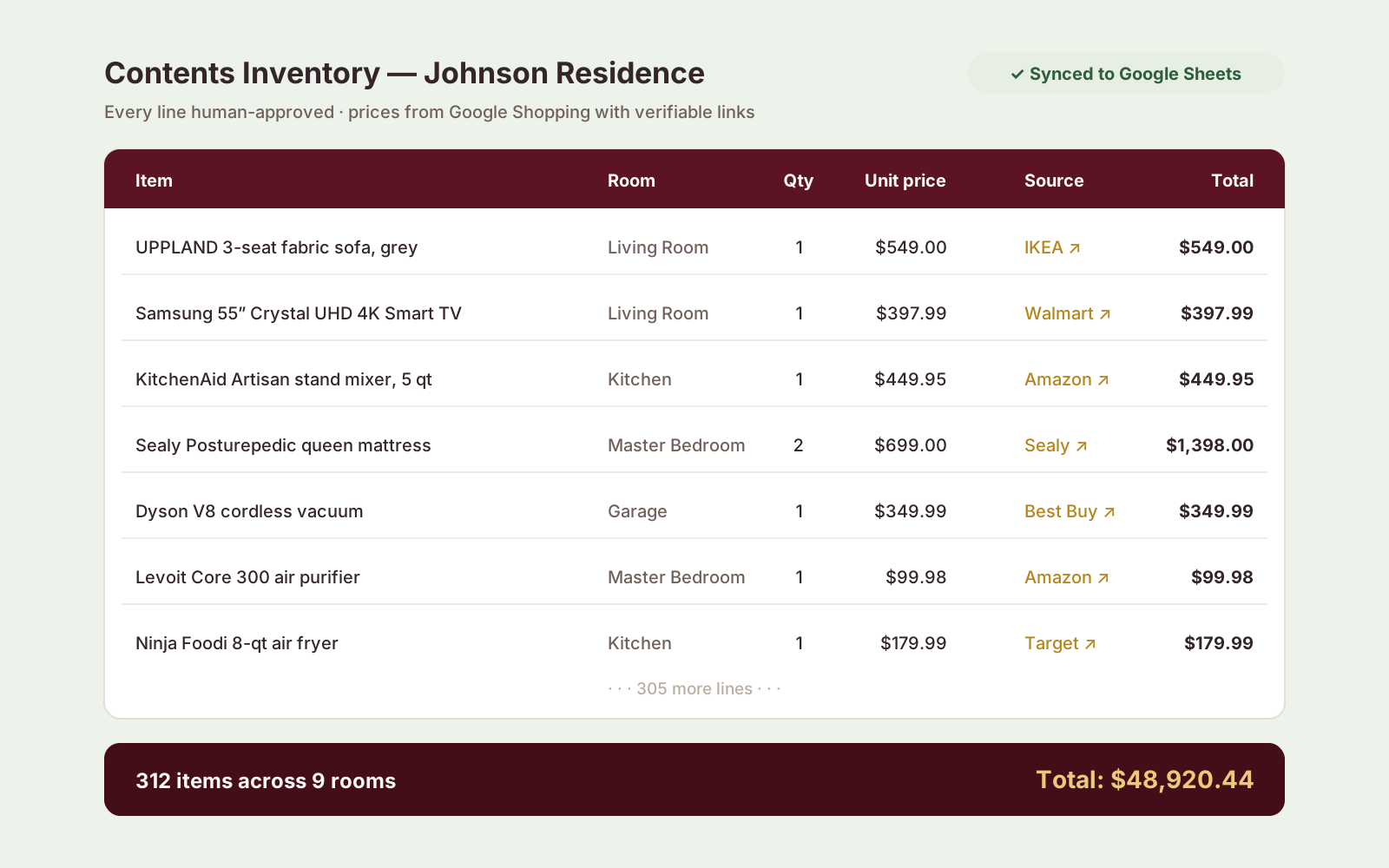
Product mockups — recreated from the real UI.
Idea to first real use: 1 week, built solo with Claude Code. Gemini Flash for image analysis, Supabase as backend, Tailwind frontend, and Google Sheets as the final deliverable — the format the claims workflow already used.